


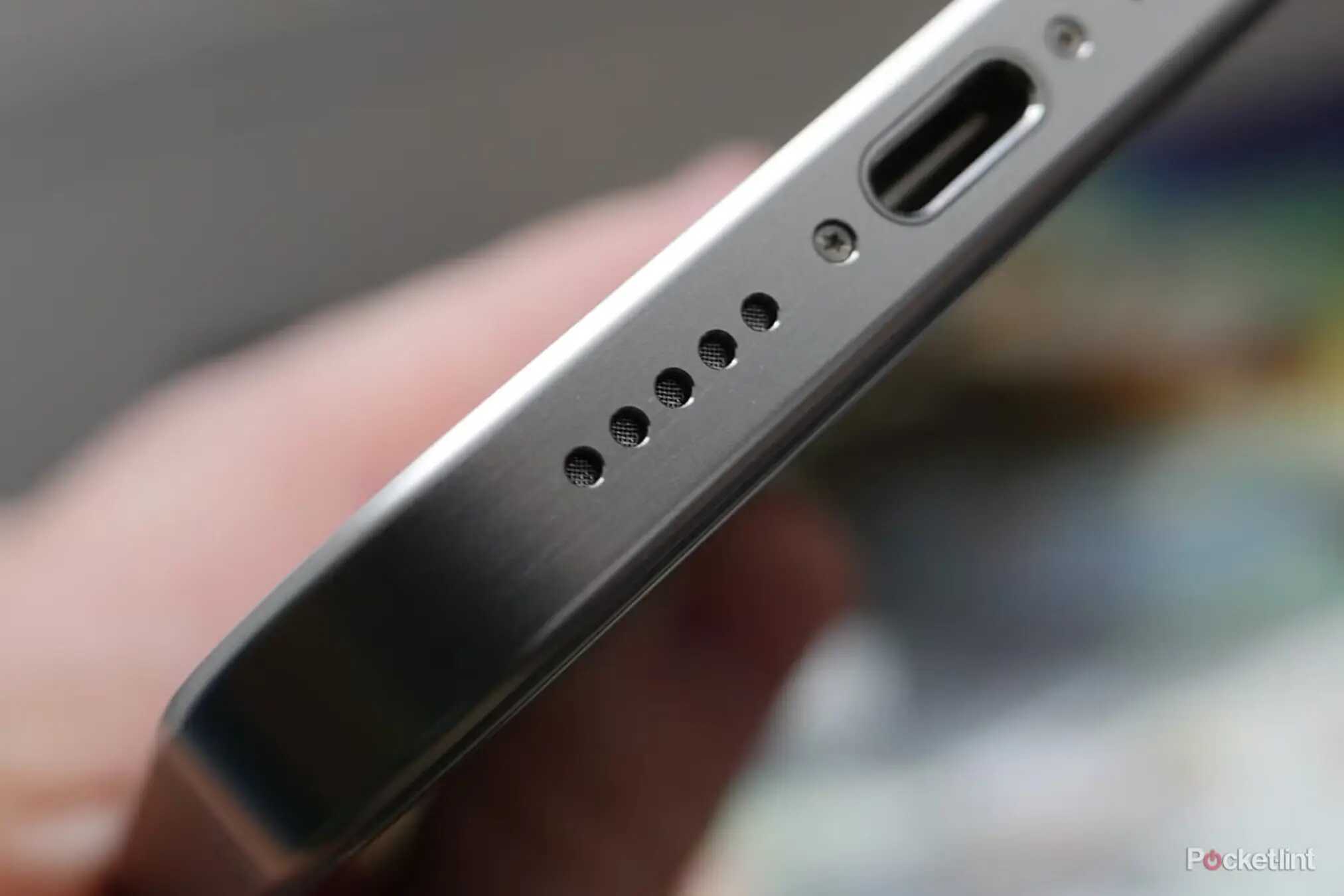
Why Your Phone Speakers Sound Distorted: Common Causes & When Repair Is Needed
When your favourite song suddenly sounds muffled or your caller’s voice cracks midway, it’s a clear sign that something is wrong with your speakers. Distortion doesn’t always mean major damage, but it often points to internal or environmental issues that many users overlook. Anyone searching for practical reasons behind the problem and whether phone speaker repairis required will find clear, simple answers here.
Why Phone Speakers Start Sounding Distorted
Distortion usually builds up slowly. A phone that sounded crisp last week may start crackling or buzzing today. Let’s break down the most common reasons from a practical, real-world perspective.
Dust, Dirt, and Pocket Lint Blocking the Speaker Holes
This is the number one cause technicians notice. Over time, dust settles inside the speaker grills, especially for users who keep their phones in jeans pockets or dusty environments.
Signs of blockage include:
- Muffled sound
- Low volume even at 100%
- Irregular crackling
Why it happens: The tiny particles act like a barrier, reducing vibration and clarity.
Water, Sweat, or Moisture Exposure
Even “water-resistant” phones face issues when exposed to humidity, rain, or sweat during workouts.
Most users don’t realise that even steam from a hot shower can creep into speaker openings over time.
How moisture harms speakers:
- Creates temporary muffling
- Corrodes the speaker mesh
- Damages circuits if moisture goes deeper
Software Glitches and Audio Settings
Not every distorted sound means physical damage. Common software-related triggers include:
- An outdated audio driver
- Conflicts after system updates
- Equalizer settings boosting bass beyond limits
- Third-party audio apps creating distortion
Restarting, updating, or resetting audio settings often solves this.
Playing Audio at Full Volume for Too Long
Constantly using the speaker at maximum output strains the tiny audio components. Typical results include buzzing sounds, speaker membrane damage, and reduced overall volume. This is one of those issues that people don’t notice until the sound quality drops permanently.
Internal Damage After a Fall
A single drop can loosen internal components, even without visible cracks. Possible issues include a displaced speaker module, micro-tears in the speaker membrane, or damage to the audio IC on the motherboard. If the distortion started right after an impact, this is the likely cause.
How to Diagnose Speaker Distortion at Home
Before rushing for phone speaker repair, users can try a few simple checks.
- Play a Test Sound: Search for a frequency test online. This helps you understand whether the distortion is across all frequencies or only high/low notes.
- Remove the Case and Clean: Phone cases trap dirt. Remove the case and use a soft brush to gently clean the speaker grill. Avoid sharp pins as they damage the mesh.
- Check for Moisture: If the speaker sounds muffled after water exposure, leave the phone in a dry area under a fan. Avoid rice, as technicians consider it ineffective and potentially harmful.
- Restart and Update: Software resets often fix audio conflicts. Update your OS and reset audio settings to default.
When You Definitely Need Professional Phone Speaker Repair
Some signs indicate that DIY fixes won’t help:
- Consistent Buzzing or Rattling: This usually points to a damaged speaker diaphragm that requires replacement.
- Extremely Low Volume: If the sound remains low despite cleaning and setting adjustments.
- Distortion Only During Calls: This may indicate an issue with the earpiece speaker or audio IC.
- No Sound: This often indicates a shortened speaker module or a deeper motherboard issue.
How Technicians Fix Distorted Phone Speakers
A repair expert follows a structured process to ensure phone speaker repair is handled correctly:
- Hardware Diagnosis: Technicians open the device to check the speaker mesh condition, signs of corrosion, or loose internal connections.
- Cleaning or Replacing the Mesh: If dust or moisture buildup is the primary issue, a deep professional cleaning often restores sound.
- Speaker Module Replacement: If the diaphragm or coil is physically damaged, the entire module is replaced with a genuine part.
- Motherboard Work: If the audio IC is the culprit, micro-soldering is required. Only trained technicians should attempt this.
Tips to Prevent Future Speaker Distortion
- Avoid keeping your phone in dusty pockets.
- Don’t use the speaker at full volume for long periods.
- Keep the device away from water, steam, and sweat.
- Use a high-quality protective case that doesn’t block the speaker.
- Clean the grill gently once a week.
Frequently Asked Questions
- 1. Why is my phone speaker suddenly distorted?
- It may be due to dust buildup, moisture, software glitches, or internal damage from a fall.
- 2. Can I fix distorted speakers at home?
- You can clean the grill, restart the device, update software, and check for moisture. If the issue persists, professional repair is required.
- 3. How do I know if the speaker itself is damaged?
- Buzzing, rattling, or extremely low volume even after cleaning usually indicates physical damage.
- 4. Is phone speaker repair expensive?
- It depends on your device model and whether the issue is with the speaker module or the audio IC.
- 5. Does moisture permanently damage speakers?
- Yes, prolonged moisture exposure can corrode components and require replacement.
Conclusion
Distorted sound is more than just an inconvenience; it's often a warning sign that dust, moisture, or internal components need attention. While simple checks at home can fix minor issues, persistent problems should be handled by experienced technicians to avoid further damage. If you’re facing continuous distortion or low volume, trusted service centres like GoFix offer reliable diagnostics and professional repair phone speaker repair to restore your phone’s audio clarity.