


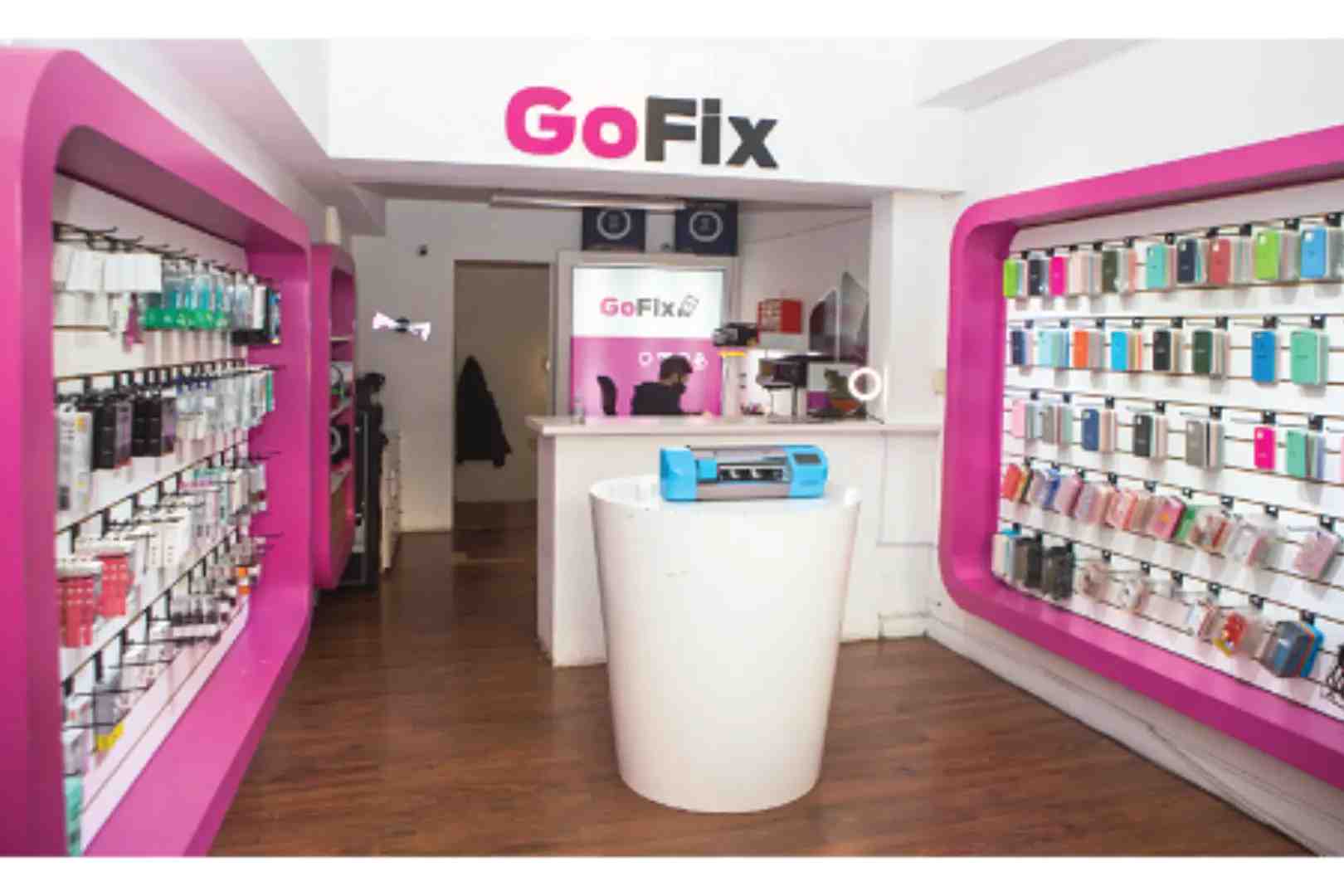
How GoFix Ensures Data Safety During Mobile & Laptop Repairs (Data Safety During Mobile Repair)
Handing over a phone or laptop for repair can feel stressful because it’s not just a device—it’s personal. Photos, WhatsApp chats, banking apps, office emails, saved passwords, and documents are all inside. That’s why data safety during mobile repair is one of the biggest concerns for customers today.GoFix understands this and follows a privacy-first repair process that protects customer information while fixing devices quickly and professionally.
GoFix believes repairs should never compromise privacy. With clear check-in steps, minimal access, and function-only testing, data safety during mobile repair becomes a standard part of service, not an extra promise.
Why Data Safety During Mobile Repair Matters Today?
Modern smartphones and laptops store sensitive information people cannot afford to risk. Even a simple screen replacement or charging fix can involve testing, and customers want assurance their personal data stays protected.
Customers worry about data safety during mobile repair because:
- Banking apps and UPI can stay logged in
- Personal photos and videos are stored in galleries
- WhatsApp, email, and social media remain active
- Passwords may be saved in browsers and autofill
- Work documents may include confidential details
For most customers, privacy risk feels bigger than the repair problem itself.
GoFix’s Privacy-First Mindset
GoFix treats every device like it contains important personal information—because it does. The repair team follows a simple rule: fix the issue without touching customer content. This approach supports data safety during mobile repair in a practical way.
GoFix focuses on:
- Repairing only what is required
- Avoiding unnecessary access to apps and files
- Testing essential functions, not personal content
- Keeping communication transparent and respectful
This builds trust because customers know data safety during mobile repair is part of the process.
Check-In Process That Protects Customer Privacy
A proper check-in reduces confusion and prevents unnecessary handling later.GoFix starts repairs only after confirming key details with the customer.
During check-in, GoFix typically confirms:
- Device model and visible condition
- Customer complaints (screen, battery, charging, etc.)
- Estimated repair method
- Whether backup support is needed (only if required)
- Whether a reset may be necessary (only if unavoidable)
This early clarity strengthens data safety during mobile repair because customers understand what will happen before work begins.
Minimal Access Policy: The Strongest Layer of Data Safety During Mobile Repair
Most hardware repairs do not require opening personal apps, chats, or files. GoFix follows a minimal access policy to maintain data safety during mobile repair from start to finish.
This means:
- No opening photo gallery or file manager
- No checking WhatsApp messages or private chats
- No browsing social media or emails
- No unnecessary login attempts
By keeping access limited, GoFix ensures data safety during mobile repair without slowing down service quality.
Function-Based Testing Without Personal Browsing
Testing after repair is necessary, but it should stay professional. GoFix keeps testing focused on functions, supporting data safety during mobile repair during final checks.
Typical testing includes:
- Touch response and display clarity
- Charging speed and battery performance
- Speaker and microphone check
- Camera open/close verification
- Wi-Fi and network connectivity
- Laptop keyboard, trackpad, and ports
The goal is to confirm the device works properly without exposing personal information, keeping data safety during mobile repair intact.
Customer Steps to Improve Data Safety During Mobile Repair
GoFix also encourages customers to take simple precautions before handing over a device. These steps make data safety during mobile repair even stronger.
Recommended steps include:
- Back up photos and contacts to cloud storage
- Keep a screen lock enabled (PIN or fingerprint)
- Log out of banking apps if possible
- Disable auto-login for sensitive apps
- Never share OTPs or verification codes
- Remove confidential documents if required
These small actions can make a big difference for data safety during mobile repair.
Software Repairs: Extra Care for Data Safety During Mobile Repair
Some issues involve software, not hardware. Boot loops, OS errors, malware, or extreme lag may require deeper troubleshooting. In these cases, data safety during mobile repair becomes even more important because software fixes can impact stored data.
GoFix follows a controlled approach:
- Explain the issue clearly to the customer
- Inform if backup or reset is required
- Take approval before any major software action
- Proceed only with customer consent
Laptop Repairs Follow the Same Privacy Standards
Laptops often contain work files, saved passwords, and personal documents. GoFix applies the same privacy-first approach for laptop repairs, keeping data safety during mobile repair consistent across devices.
Common laptop repairs include:
- Display replacement
- Battery replacement
- Keyboard and trackpad repair
- SSD/HDD upgrades
- Charging port repair
- Performance and overheating fixes
GoFix avoids browsing customer folders and focuses only on the repair requirement, protecting data safety during mobile repair.
Frequently Asked Questions
- 1) How does GoFix ensure data safety during mobile repair?
- GoFix uses a minimal-access process, avoids opening personal content, and performs function-based testing to maintain data safety during mobile repair.
- 2) Will technicians need my phone password?
- In most cases, no. If access is needed for testing, customers can unlock the device when required to support data safety during mobile repair.
- 3) Can mobile repairs cause data loss?
- Most hardware repairs do not affect data. Software repairs may require reset or reinstall, and GoFix informs customers beforehand to protect data safety during mobile repair.
- 4) Is laptop repair safe if I have office files saved?
- Yes. GoFix focuses only on fixing the issue and avoids browsing personal folders, maintaining data safety during mobile repair standards.
Conclusion
Customers today expect fast repairs, but they also expect privacy. From screen replacements to charging issues, from laptop repairs to software troubleshooting, GoFix follows a responsible process that protects customer information. With minimal access, clear approvals, and professional testing, GoFix makes data safety during mobile repair a real priority. For anyone looking for a trusted store for mobile repair, GoFix is a dependable choice.